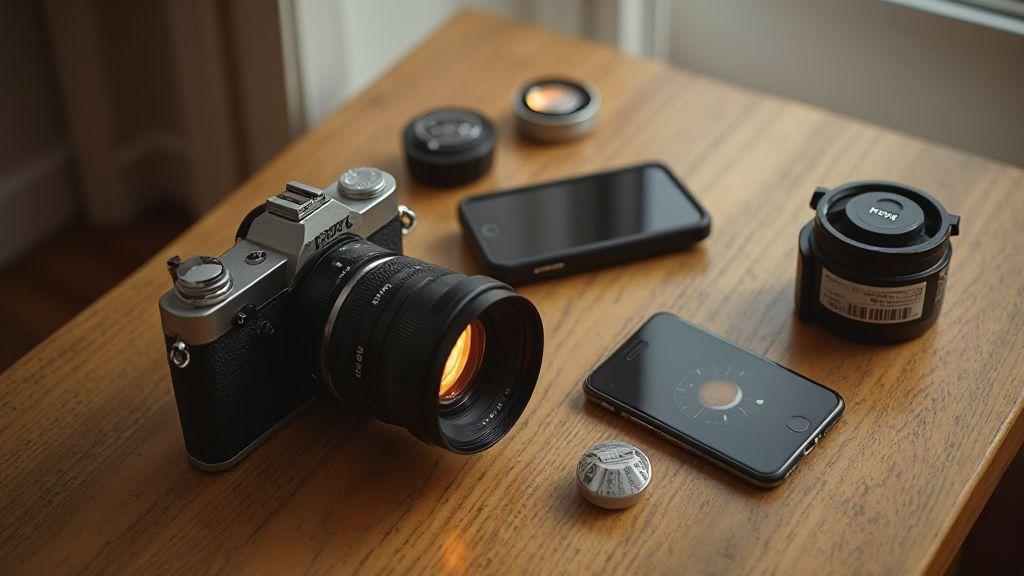
Why you need an analog light meter backup app
You gain a reliable safety net for light decisions on a film set. An analog light meter backup app keeps exposure choices steady if your main meter fails, acting as a quick second opinion and saving your shoot from a hiccup. It’s like a spare tire for your kit—quiet, ready, and capable of keeping you on track. The result is more confident framing with every frame.
With a backup app, you won’t freeze when you lose a setting or misread a scene. You can compare readings from two sources in seconds to decide if you’re over- or underexposed. The workflow becomes smoother, and clients will notice steadier, cleaner results. It’s not just tech; it’s peace of mind you can carry in your pocket.
An analog light meter backup app isn’t a gadget for gadget lovers. It’s a practical tool that fits your filmmaking habits, like a trusted memory card you never forget. You’ll feel calmer with a second reading to back up your instinct. When every frame counts, this app is your steadying hand.
Protect your film from exposure errors
You’ll catch exposure mistakes before they ruin a frame, especially in tricky light. A backup app cross-checks against your primary meter so you don’t rely on a single source of truth. This matters in mixed light—daylight through windows with harsh indoor lamps—where a quick read can confirm clipping highlights or muddy shadows and allow on-the-spot adjustments.
Using both meters makes your process more consistent. You’ll learn each tool’s strengths and blind spots, sharpen your eye, and gain a confidence boost from a second opinion for critical moments, like actor windows or high-contrast scenes. The result: fewer ruined shots and fewer regrets.
Cover battery or meter failure
You’ll be ready if a battery dies or a meter falters mid-shoot. The backup app runs on a phone or tablet you already carry, so you’re not adding gear. It provides a trustworthy exposure readout while you swap batteries or repair the main meter, keeping momentum and avoiding scene delays.
The calm it brings on location is real. If your main meter dies, you won’t scramble for quick rules of thumb. The backup app gives a precise reading fast, helping you stay in flow and finish takes without interruption. It’s a small safeguard that makes a big difference when time is tight.
Fast emergency readings
You’ll get fast readings when time is tight, locking in exposure in seconds. The backup app provides a quick, clear number you can trust without fiddling with settings. In rush moments—balancing ambient and controlled light—this speed saves minutes across a shoot.
Key features in a light metering backup for analog cameras
You’ll want a backup that stays reliable when the main system falters. Look for quick readings, simple interfaces, clear readouts, and fast adjustments. The best backups blend with your camera setup, locking in exposure fast as light shifts.
A great backup handles a range of scenes—from bright walls to deep shadows. It should show how exposure would look with spot, incident, or reflected metering so you aren’t guessing. Durability matters too; a rugged body and dependable buttons keep you shooting in rough conditions. Readouts should be easy to read at a glance, not a scavenger hunt in the dark.
Compatibility with common film speeds and easy workflow integration are essential. If you can read results quickly and translate them into solid exposure on your camera, you’re in the right zone. A good backup is practical, consistent, and comforting to rely on.
Spot, EV, and incident metering explained
- Spot metering gives a precise read of a small area (about 1–5% of the frame). Useful when balancing a bright sky or a dark face against a light background, but can mislead if you don’t consider the full scene.
- EV metering translates the scene into exposure values you dial in on your camera, speeding decisions in consistent light or when matching a look. Your film stock and development still dictate final tone.
- Incident metering measures light falling on the subject, not reflected toward the camera. It’s reliable for exposing skin tones and avoiding blown highlights in mixed lighting.
Film ISO, reciprocity, and exposure lock
- Film ISO sets your starting point; fast film needs more light, slow film needs careful lighting. Your backup should let you adjust ISO easily.
- Reciprocity is the rule that matters; beyond certain shutter/aperture combos, some films err. A good backup reminds you of reciprocity limits to prevent surprising results.
- Exposure lock keeps exposure steady once you’ve found a good reading, allowing you to frame without drift.
Easy readouts and guides
Look for clear, bold readouts with large numbers and simple symbols. A quick reference on the device that shows recommended ISO, shutter, and aperture at a glance helps you stay in your groove. Guides that map common film stocks to typical lighting keep you on track.
End with a conclusion
Pick an offline light metering app for film cameras
Choosing offline light metering apps is like carrying a trusted pocket guide. You want a tool you can rely on when you’re shooting film with no signal. Favor core metering functions, a clean interface, quick readings, easy annotations, and straightforward comparison between lighting scenarios. The right offline app feels invisible—delivering precise numbers and feedback without interrupting your flow.
Test apps with real shoots: low light in a cafe, sun on metal, and a shaded doorway with bright street behind. Look for responsive readings, reliable raw data, and the ability to lock exposure when bracketing. A good offline app should store actions locally, keeping your workflow smooth and private. In the end, you’re choosing a tool that complements your hands-on instinct—one that trusts your eye and backs it up with repeatable numbers.
Remember to consider how the app fits your camera setup. If you work with external light meters, pick an app that mirrors that workflow. The best choices feel like a second set of hands: fast to read, quick to log, and stubbornly reliable at dusk or dawn.
Work without data or network connection
On set, you can’t rely on connectivity. Your chosen app should run fully offline—from reading to saving the shot. All essential functions—reading, calculation, and notes—must live on your device. A solid offline app keeps memory clean and doesn’t nag you to upgrade or sign in. This is about reliability, immediacy, and preserving your creative flow.
Offline operation speeds things up. You won’t wait for a server response to lock in exposure. Quick taps, readings, and decisions keep you moving and help you bracket or push/pull without losing rhythm. Longer battery life from offline use is a bonus, especially on long shoots.
Store readings and shot logs locally
Your meter acts like a diary for your images. Local storage keeps readings, notes, and shot logs on your device for review whenever needed. Tag readings by scene, film stock, and lighting without cloud syncing to protect privacy. A well-organized log helps you learn patterns in lighting and dial in better settings on future shoots.
If you’re using multiple cameras or film types, local logs become your shorthand. Quick notes like balance in backlight, push 1 stop help you build a personal playbook. Local storage enables archiving, searching, and comparing across years without cloud risk.
Offline calibration options
Offline calibration keeps your meter honest when you’re not connected. Look for a simple calibration flow or built-in reference tones you can compare against targets. Calibrate with a gray card or a known light source and save profiles locally. This keeps readings aligned with how you shoot, even if lighting or film stock changes.
Repeatable calibration matters. Re-check at the start of a session or after changing gear to stay confident in numbers. If multiple profiles exist, you can maintain separate calibrations for different films or lighting setups. Offline calibration ensures your meter remains trustworthy in any situation.
Use a film photography exposure meter app for quick math
A film photography exposure meter app speeds up your workflow. With a tap, you translate light into dependable numbers—EV, shutter, and aperture—in real time. When light shifts, the app provides solid starting points you can adjust. The interface should be natural: clear digits, big LEDs, and easy ISO switching. As soon as you set film speed, the app updates recommended shutter and aperture, turning complex decisions into quick, confident moves.
Keep your workflow simple: measure, check the suggested settings, then shoot. In mixed lighting, compare two readings and choose the one that yields natural skin tones. A meter app reduces wasted frames and keeps your creative flow intact.
Convert EV to shutter and aperture fast
EV guides you to shutter speed and aperture. Higher EV means faster shutter or smaller aperture, or both. In bright light, you can shift from 1/125 at f/8 to 1/500 at f/4.5; in dim light, you’ll open up and slow down. Keep ISO constant or adjust in small steps. The aim is a stable exposure as you frame.
Calculate reciprocity compensation for film
Reciprocity failure happens; compensation cushions its effect. Add a small exposure bump when pushing beyond standard shutter/aperture combos, especially for long exposures or very dim scenes. Note how much compensation different films need at various speeds, then apply consistently to keep negatives from drift.
How you calibrate a mobile light meter for film cameras
Calibration aligns your phone reading with your handheld meter. Test in the shooting environment, compare readings, and adjust calibration to align. Build a library of common scenes as quick references, label calibration versions, and keep software up to date. The goal is consistency, not perfection, so you can rely on real film results rather than chasing perfect numbers.
Compare phone readings to a handheld meter
Take readings side by side in the same light, note any bias, and adjust with a calibration offset or profile. Create a reusable profile (e.g., Calibration A) and recheck in multiple scenes. If lighting changes or you switch phones, repeat the quick check. Use the handheld meter as your truth source and the phone as a fast helper.
Calibrate with a gray card or known light
Calibrate using a gray card or a known light to lock down readings. Measure with both devices and align readings. Save the offset as a calibration profile for consistent future shoots. A gray card or known light provides a stable reference, reducing guesswork and keeping your film consistent.
Save custom calibration profiles
Save successful calibrations as profiles (e.g., FilmCal_A) with a clear name and offset. Load the right profile for each environment and keep a log of date, scene, light source, and exposure decisions. If drift appears, update the profile and save a new version.
Choose incident or reflected modes in your analog camera metering backup app
Incident metering reads light at the subject’s location, giving you the true brightness of the scene and helping keep skin tones accurate. Reflected metering reads light off the subject, useful when you can’t place a meter near the subject or when tackling scenes with varied brightness. Practice switching between modes to compare results and lock exposure. Incident metering is often more reliable in tricky lighting, while reflected is handy for on-the-ground realities like landscapes or busy streets.
Add exposure metering backup apps analog to your film workflow
Add exposure metering backup apps to your film workflow to provide a safety net that complements your process. These apps aren’t here to replace your eye; they confirm it. Use them as quick checks between takes, not the final word. The goal is confidence without slowing you down. Choose apps that mirror your film mindset: simple interfaces, predictable results, fast logging. Keep your phone’s numbers aligned with your notes and shot logs, and ensure the data can export or sync with your workflow for seamless integration. This is where Essential Apps for Light Metering Backup in Analog becomes a practical backbone for your setup.
Pre-shot checks and exposure logging you can use
Before you press record, run a quick one-minute routine: verify light, confirm ISO, and compare your meter reading with a backup app if available. Log each exposure with a concise note: scene, lighting, meter reading, and adjustments. Keep it lean to stay in the moment and reduce notebook clutter.
Use a simple template: date, scene or shot number, ambient light, meter reading, final exposure decision. Note film type to influence exposure perception. A consistent log helps you spot patterns and learn faster. If you’re using a backup app, capture the same data there and link it to your log for quick cross-checks.
Sync app values with your shot notes
Keep app values in sync with your shot notes. If your scene note says cloudy day, shade but the app reads f/5.6 at 1/125, you’ll gain confidence from consistent data. Cross-check after every take and update notes and app entries as needed. Consistency reduces on-set confusion and sharpens your edit-room memory.
If you work with multiple cameras, consistent language and units help map what’s happening across rigs. Build a habit of writing it down and letting the app confirm what you see.
Keep a compact metering routine
Develop a compact three-step habit: quick ambient check, backup reading, and a one-line note. Stay fast, focused, and ready for the next shot. The routine should feel natural and easy to repeat, leaving room for a quick extra check if time allows.
Pair your smartphone light meter for analog photography with small accessories
Pair your phone meter with small, smart accessories to sharpen readings without bogging down your setup. Diffusers, mini incident domes, clips, and mounts fit in a pocket and improve stability and accuracy. Choose lightweight tools that travel well and preserve your workflow’s speed.
Use a clip-on diffuser or mini incident dome
A clip-on diffuser softens harsh light for steadier readings; a mini incident dome captures light from different angles. Both help you avoid glare and hotspots, giving you steadier numbers and more reliable exposure decisions.
Mount your phone to steady the reading
A stable mount reduces camera shake and helps you position the meter where light hits your subject. This makes comparisons easier and keeps your readings consistent across shots.
Affordable add-ons that improve readings
Inexpensive gear can noticeably improve readings: a clip-on diffuser, a compact incident dome, and a reliable phone mount. These tools enable you to tackle tricky lighting and make better exposure choices on the fly.
Best practices for backup light metering on film and handheld light meter app use
Backup metering protects your intended look. Start with a standard exposure target to compare readings quickly. Use the backup as a cross-check, not a replacement, and treat it as a second opinion. If readings diverge, you’ve found a light issue to address.
Keep equipment ready: charge devices, keep sensors clean, and test reads under the same lighting you’ll shoot in. Practice with a few familiar scenes to understand how backup tools respond and how to adjust quickly.
When shooting, log the meter reading, aperture, and film speed, then compare with the app’s suggestion. Look for patterns and note any drift so you can compensate. This builds reliability and reduces wasted frames.
Essential Apps for Light Metering Backup in Analog are a solid bet when you pick your tools. But your main meter should still guide you most of the time. Use the backup to confirm or question your decision, not to drive it.
Verify readings with test frames and bracketing
Begin with a simple test frame on a midtone surface (gray card) at your target exposure. Compare the result with expectations. If the frame looks off, use bracketing: shoot a small batch at -1, 0, and 1 stops. This helps you identify how your backup tools align with real-world outcomes and trains your eye to anticipate exposure shifts.
Keep tests small and focused. A single frame per test can reveal patterns, especially in late-afternoon or mixed lighting. Document how each result relates to settings and scenes. If readings differ between the app and your handheld meter, note the light type to understand drift.
Know phone sensor limits and dynamic range
Phone sensors aren’t pro meters. Highlights can clip and shadows can block. Treat phone readings as approximate guidance in bright sun, and use them alongside a real meter in dim environments. Understand your scene’s dynamic range: in high-contrast conditions, bracketing helps preserve detail in both highlights and shadows. When readings differ significantly from your handheld meter, pause, recheck calibration, and verify with a test frame.
When to trust the app and when not
Trust the app in straightforward lighting and after you’ve tested its quirks. If the app tracks consistently in similar scenes, use it for quick checks. In high-contrast or challenging lighting, rely on hands-on tools first. The app is a fast confirmation, not the final word.
If readings feel off, recheck your setup, including calibration and white balance. A quick test frame can help you decide whether to rely on the app or revert to your handheld meter. Use the app to save time on routine shots, but verify with tests or bracketing when unsure. This balance protects your film stock and your creative intent.
Final note
Essential Apps for Light Metering Backup in Analog are a practical addition to your toolkit. They enhance confidence, speed decision-making, and keep you moving between takes without slowing your creative flow. Use backup meters to confirm, not to replace, your eye.

Junior Souza is a passionate analog photographer and the mind behind estoucurioso.com. With a camera always in hand and a roll of film never far away, Junior has spent years exploring the world through a 35mm lens — learning, experimenting, and falling deeper in love with the slow, intentional process that only analog photography can offer.
What started as pure curiosity quickly became a lifestyle. From testing different film stocks under harsh light to hunting vintage lenses at flea markets, Junior believes that understanding your tools is just as important as developing your eye.
Through estoucurioso.com, he shares everything he has learned along the way — the techniques, the mistakes, the references, and the stories behind the frames. His goal is simple: to build a space where beginners and enthusiasts alike can grow, get inspired, and never stop being curious.
Always learning. Always shooting.