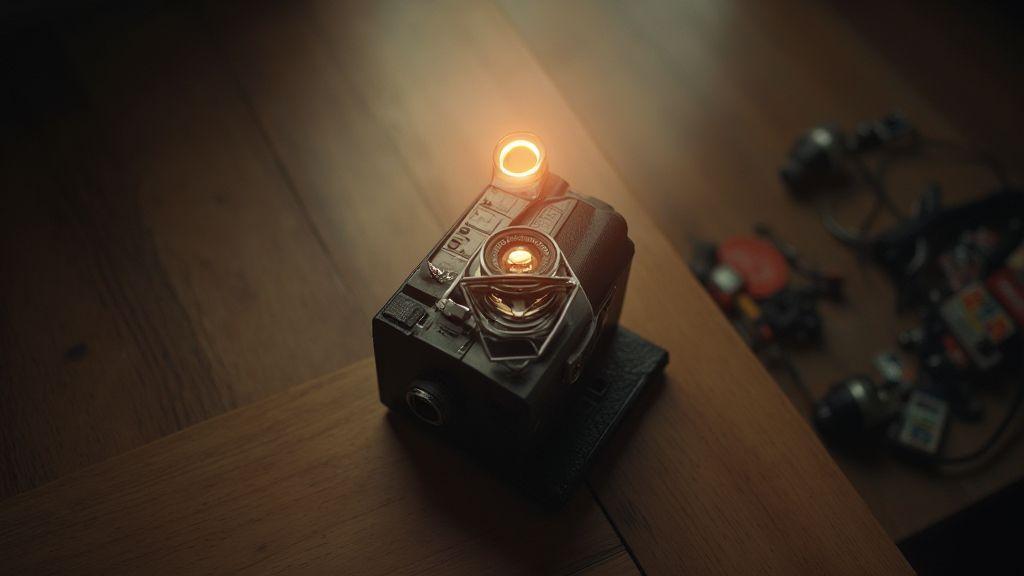
Beginner Basics of Exposure Triangle in Analog PhotographyAnúncio
You’re stepping into a world where three knobs control every photo you take: aperture, shutter, and ISO. Think of them as the trio that decides how light or dark your image will be, and how sharp or dreamy it can look. When you start, each knob has its own job, and changing one often means adjusting the others to keep exposure right. This is the core idea behind the exposure triangle, and getting a feel for it lets you shoot with confidence, not guesswork.
Your camera’s aperture is like the pupil of your eye. A bigger opening lets in more light and creates background blur, while a smaller opening restricts light and tightens depth of field. Shutter speed acts like a quick blink or a long gaze, freezing motion or conveying motion blur. ISO is your camera’s light sensitivity; low ISO keeps noise down, while high ISO works in dim light but adds grain. Put together, these controls give you the power to capture a moment exactly how you want.
In practical terms, you’ll use this trio to balance brightness, depth, and motion. Indoors with low light, open the aperture and raise ISO to keep people sharp. Outdoors, you might narrow the aperture and adjust ISO to freeze action with a fast shutter. The goal is to learn how each setting changes the look of your photo so you can predict the result, not rely on luck.
Aperture, shutter, and ISO roles
Aperture
Aperture is the doorway to depth of field. A wide aperture (low f-number) creates a blurry background, making your subject pop. A narrow aperture (high f-number) keeps more of the scene in focus. This choice shapes how much of the photo feels foreground to background and often tells the story of a shot.
Shutter speed
Shutter speed controls motion. Fast speeds freeze action with crisp details; slow speeds blur movement for motion or drama. For a running dog, you’ll use a fast shutter. For silky water, a slow shutter is ideal.
ISO
ISO measures light sensitivity. Low ISO keeps noise down but needs more light or longer exposure. High ISO allows shooting in darker scenes without a tripod but adds grain. This is your safety valve when light slips away, kept as clean as possible.
Putting it together
When you mix these together, you shape mood and clarity. A shallow depth of field with a bright subject can pop off the background, while a busy street scene may benefit from more depth and controlled motion. Learn which combination gets you there without overthinking.
Why you must learn them
- They unlock creative control. You’re not at the mercy of the light; you become the author of your image.
- Mastery saves time and stress. You pre-visualize the look and set your camera to match, producing more consistent results.
- It helps grow your style. You’ll notice which combinations give you the dreamy bokeh, crisp cityscapes, or moody night scenes you love.
- It builds confidence. Understand the triangle to solve low light, fast action, or high-contrast challenges on the fly.
Quick overview for new shooters
Think of the exposure triangle as three gears: aperture opens the door, shutter times the beat, and ISO tunes the available light. With practice, you’ll spot the right combination in seconds.
Master aperture to control depth of field
Adjusting aperture decides how much of your scene stays sharp. A wide opening (e.g., f/2.8) creates a soft background, while a small opening (e.g., f/16) keeps more of the scene in focus. The f-stop also changes depth of field directly; the more you open, the shallower the field; the more you close, the deeper the field. This is where creativity lives—isolating a subject or capturing a whole scene in crisp detail.
f-stops and how they work
F-stops describe how wide your aperture opens. Smaller numbers mean larger openings and more light; larger numbers mean smaller openings and less light. Stops are standardized (e.g., f/4, f/5.6, f/8). Moving from one stop to the next doubles or halves the light, helping you predict exposure while shaping the mood.
How aperture changes your background blur
Background blur (bokeh) is driven by how wide the aperture is. A wide aperture gives strong blur; a narrow aperture keeps more of the scene in focus. Your distance to the subject also affects blur—the closer you are, the stronger the blur at a given aperture.
Simple f-stop guide you can use
- Pop the subject with: f/2.8 to f/4
- More of the scene sharp: f/8 to f/11
- Landscapes with detail: f/11 or higher
- Group portraits with even focus: f/5.6 to f/8
Use shutter speed to freeze or blur motion
Shutter speed controls motion: fast speeds freeze; slow speeds blur. Match the speed to your subject and desired mood. Handheld shooting and light levels matter, as you may need higher ISO or a tripod in low light.
Fast speeds to stop action
Start around 1/500s or faster for quick subjects. Up the speed to freeze fine details, such as a bird’s wing or a pitcher’s throw. Indoors, you may push to 1/1000s or higher with higher ISO.
Slow speeds to create motion blur
1/8s to 1/15s gives gentle blur; 1/4s or 1/2s yields stronger trails. A tripod or stable support becomes essential to keep the frame steady during long exposures. Panning with the subject can keep the subject sharp while the background streaks.
Pick speeds based on your subject
If the subject is stationary, slower speeds can add artistic depth. For fast-moving scenes, use faster speeds to preserve shape and detail. Try a few speeds to learn how light, distance, and steadiness affect the result.
Practical speeds quick guide
Test a single action with three speeds: fast to freeze, moderate for mild blur, slow for strong blur. Check your histogram to avoid clipping highlights and watch exposure in low light.
Choose film ISO and know its tradeoffs
Higher ISO films are louder, grainier, and catch more light—great for low light but with a rougher look. Lower ISO films stay smooth but require more light or longer exposure. Pick ISO with the scene in mind: streets at night favor higher ISO; bright landscapes favor lower ISO. The mood is part of the decision.
- Lock in a preferred ISO early for consistency.
- Test how a brand renders at ISO 400 or 800 to guide field choices.
- Learn how different brands react at the same ISO to refine your taste.
- Use film speed as a mood and exposure guide, not just a number.
ASA vs ISO film speed beginner guide
ASA and ISO are the same idea with different naming. Treat ASA 400 as ISO 400 for exposure planning. ISO acts as your light dial: brighter scenes use lower ISO; dim scenes use higher ISO to maintain usable shutter speeds.
How ISO affects grain and exposure
Higher ISO adds visible grain and texture; lower ISO yields cleaner tones. Higher ISO also reduces the need for long exposures, enabling quicker shutter speeds but increasing grain. Balance ISO with light and mood.
Tips for picking film speed quickly
- Base it on light: bright sun ISO 100–200; overcast or indoor ISO 400–800
- Use a tested film you know well
- Start with one go-to ISO per project
- Use a meter to confirm exposure and lock in ISO
Set manual exposure on your film camera
Manual exposure gives you full creative control. You read light with your eye and meter, then translate that into aperture, shutter, and ISO. With practice, you’ll set exposure quickly and confidently, reducing post-shot guesswork. Manual exposure protects highlights and shadows and helps you achieve the exact mood you want.
Manual exposure film camera for beginners
Begin with a common film speed like ISO 400 for flexibility. Experiment with different apertures to see how depth of field changes. Pair slow or fast shutter speeds to study motion, using a tripod for low-light mood and faster speeds for action.
How to read and set your meter
Your light meter guides a starting point for shutter and aperture at your ISO. Adjust to fit your creative goal. If underexposed, open the aperture or slow the shutter; if overexposed, do the opposite. Learn to read the scene beyond the meter’s number, adjusting for contrast and mood.
Step-by-step manual setup you can follow
- Set ISO to match your film
- Read the meter for suggested shutter and aperture
- Adjust to fit your vision
- Test shot, then tweak
- Lock in the exposure you’re happy with
Learn stops of light to balance exposure
Stops are steps up or down in brightness that help you balance what you see with what you capture. You’ll see stops across aperture, shutter, and ISO. Use stops to nudge exposure toward balance—brighter for sunny days, darker for moody scenes.
What one stop means for exposure
One stop up doubles brightness; one stop down halves it. Use a single stop to adjust depth of field or motion while balancing with other settings.
How to change exposure by stops
- Aperture: adjust f-numbers in stops (e.g., f/4 to f/5.6)
- Shutter: adjust in fractions (e.g., 1/125s to 1/250s)
- ISO: double or halve numbers (e.g., 200 to 400)
- Each move trades off sharpness, noise, or background blur
Easy stop changes you can make
- Brighten with a one-stop aperture or shutter adjustment, then fine-tune with ISO
- Use faster shutter to preserve sharpness, adding light with aperture if depth of field isn’t critical
- Lower ISO to reduce noise, compensating with longer exposure or wider aperture
Meter light properly with film cameras
Metering helps you approach a true exposure. Use it as a guide, not a boss. Meter to protect highlights and preserve shadows, then adjust for your film’s latitude. Practice across bright sky, dim room, and midtone portraits to learn how your stock responds.
Spot, center-weighted, and average metering
- Spot metering targets the main subject for tricky lighting.
- Center-weighted gives priority to the frame’s center.
- Average metering reads the whole scene for balanced exposure.
When to use a handheld meter
Handheld meters excel in challenging lighting, backlit subjects, or studio setups where you need precise skin tones or color balance.
Quick metering rules you should trust
- Meter the key light and protect important tones
- In backlit scenes, expose for the subject’s midtone
- In high-contrast scenes, balance shadows and highlights, then adjust in development
- Bracket a couple of frames to compare results
- Cross-check handheld readings with your built-in meter
Handle reciprocity failure for long exposures
Long exposures can cause reciprocity failure, where color shifts and brightness drift. Plan around it: expect a drop in effective sensitivity and adjust with longer exposure, lighter development, or multiple shorter exposures blended later. Document tests to learn your stock’s behavior and refine your process.
When reciprocity failure happens
Nonlinear responses mean doubling light time doesn’t double brightness. Expect shifts in tone and contrast; compensate with exposure planning and development adjustments.
How to compensate for long exposures
- Shorten exposure and blend multiple frames
- Try different development or processing to recover density
- Add light with filters or controlled illumination
- Use a stock with better reciprocity behavior when possible
Simple reciprocity tips you can apply
- Plan shorter, repeatable shots and keep notes
- Use filters or light control to manage scene brightness
- If static, shoot 2–3 shorter exposures for post blend
Protect highlights and lift shadows on film
Protect highlights by underexposing slightly or choosing film with greater latitude. Lift shadows by nudging exposure a touch higher while keeping highlights safe. This balance preserves detail across the tonal range and yields a more natural look in prints or scans.
Exposing highlights and shadows on film
Identify the scene’s brightest and darkest areas and meter for a pleasing midtone. Small adjustments can preserve texture in shadows without blowing out highlights.
Push and pull processing basics
Push processing increases development time to boost contrast and density, revealing shadow detail but adding grain. Pull processing shortens development to tame contrast and preserve highlight detail. Start with small steps and test results to keep the final look intentional.
Practical exposure choices you can use
- Use a light meter to measure highlights and shadows, then pick a balanced exposure
- Test stock on high-contrast scenes
- Start with a one-third stop adjustment and move in small steps
- Record results to repeat successful setups
Conclusion: With practice, the Beginner Basics of Exposure Triangle in Analog Photography become second nature. You’ll read light, balance aperture, shutter, and ISO, and create images that reflect your vision—consistently and confidently.

Junior Souza is a passionate analog photographer and the mind behind estoucurioso.com. With a camera always in hand and a roll of film never far away, Junior has spent years exploring the world through a 35mm lens — learning, experimenting, and falling deeper in love with the slow, intentional process that only analog photography can offer.
What started as pure curiosity quickly became a lifestyle. From testing different film stocks under harsh light to hunting vintage lenses at flea markets, Junior believes that understanding your tools is just as important as developing your eye.
Through estoucurioso.com, he shares everything he has learned along the way — the techniques, the mistakes, the references, and the stories behind the frames. His goal is simple: to build a space where beginners and enthusiasts alike can grow, get inspired, and never stop being curious.
Always learning. Always shooting.